
Last updated: · By Afra Monira
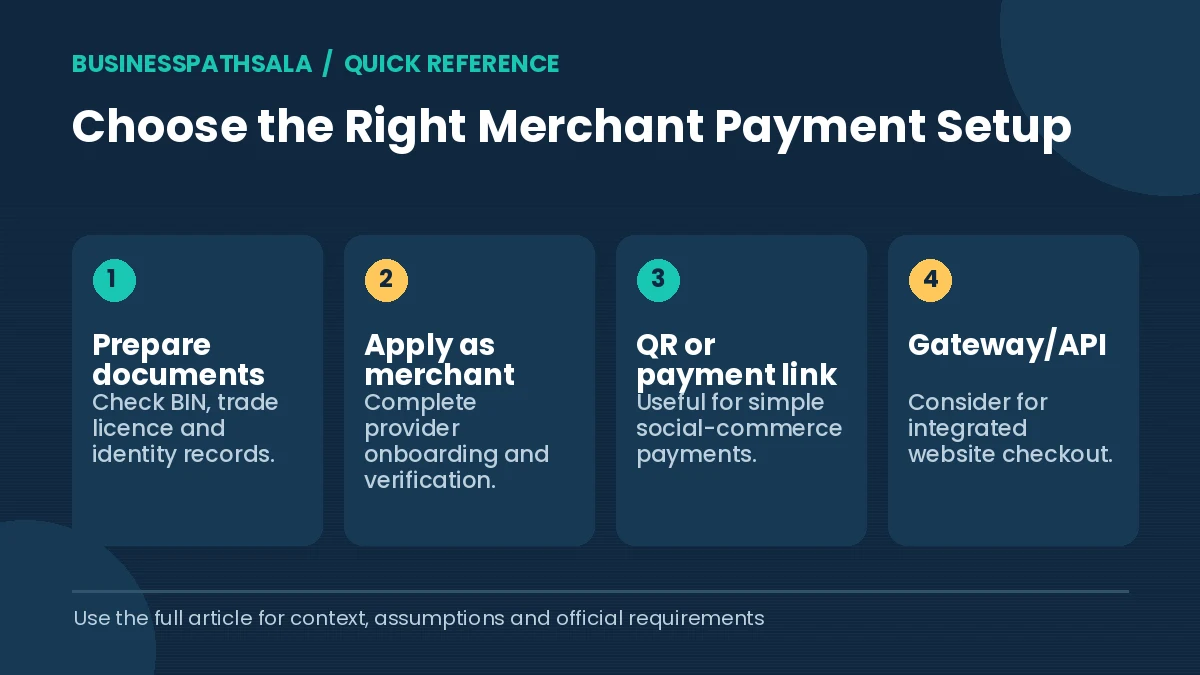
Bangladeshi online sellers can accept mobile payments through a bKash Merchant Account or a Nagad merchant facility. For a small social-commerce shop, a merchant QR code or payment link may be enough. A website that needs automated checkout, order matching and refunds may need a payment gateway or API integration. The right option depends on how you sell, what business documents you hold, and the provider’s current onboarding approval.
Important 2026 update: Bangladesh’s Finance Act 2026 amended the VAT and Supplementary Duty Act to require a valid Business Identification Number (BIN) or proof of enlistment when a business opens an MFS merchant account. This is now a statutory requirement, not merely a document some providers may ask for. Check your BIN status before applying. Read the Finance Act provision.
This guide explains the difference between merchant accounts and payment gateways, how to apply for bKash and Nagad, which documents to prepare, how to connect payments to a website, what fees to ask about, and how to manage refunds and reconciliation. Provider approval, charges and settlement terms are confirmed individually; do not rely on unofficial fixed-rate claims.
For related setup steps, read our guides to BIN registration in Bangladesh, payment gateway charges comparison, and e-commerce courier services and COD.
n1. bKash Merchant vs Nagad Merchant vs payment gateway
| Option | Best suited to | Typical payment experience | What to confirm |
|---|---|---|---|
| bKash Merchant | Retail shops, service providers and businesses collecting bKash payments | Merchant QR, counter payment, Merchant App and transaction history | Eligibility, settlement account, transaction charge, limits and any online-payment access |
| Nagad Merchant | Shops and businesses that want to accept Nagad payments | Provider-approved merchant collection methods and transaction records | Current onboarding route, required documents, settlement timing, fees and refund process |
| Payment gateway / online checkout | E-commerce websites, apps and platforms that need checkout integration | Customer selects a payment method at checkout; website receives transaction status | Supported payment methods, setup and transaction fees, settlement cycle, refunds, chargebacks and API support |
| Personal Retail Account | Eligible micro or informal retail sellers who do not have a trade licence | Provider-defined retail collection features, subject to limits and rules | Eligibility, transaction caps and whether the account type fits the business model |
A merchant account and a payment gateway are related but different. A merchant account is the provider’s approved business payment relationship. A gateway is the technology layer that connects a website or app to one or more payment methods. A business may have a merchant relationship and still need a separate technical approval or integration for online checkout.
2. What changed in 2026: BIN is required for MFS merchant accounts
Section 3 of the Finance Act 2026 inserted a new subsection into the VAT and Supplementary Duty Act, 2012. It says a business must present a BIN or proof of enlistment in specified situations, including opening an MFS merchant account. The same provision covers business current or STD bank accounts, business loans, trade licence renewal, trade-body membership, utility connections and business vehicle registration. See the enacted law on Bangladesh Laws.
News coverage before the law was passed described this as a proposal. The final Finance Act was enacted on 30 June 2026 as Act No. 96 of 2026. Use the enacted law rather than older articles that still describe the BIN rule as merely proposed. The Business Standard reported the passage.
For a business applying now, prepare the BIN certificate or proof of enlistment alongside the trade licence and identity documents. If your business is unsure whether it should register for VAT or enlistment, consult the NBR or a qualified tax practitioner based on your business activity and turnover. Do not assume that having a TIN is the same as having a BIN: they serve different tax-administration purposes.
3. Documents to prepare before applying
Each provider performs its own due diligence and may request additional information based on the business type, transaction volume, products and risk. The following is a practical preparation checklist, not a guarantee that every provider accepts the same document set.
- Valid trade licence: Keep the licence current and make sure the business name and address match the application.
- BIN certificate or proof of enlistment: Required for opening an MFS merchant account under the Finance Act 2026 provision.
- Owner or authorised signatory’s NID: The provider may verify identity and ownership/control of the business.
- Business bank account details: Ask whether settlement must go to an account in the business name or whether another account arrangement is permitted.
- TIN/e-TIN details: Keep the tax identity information ready if requested by the provider or applicable onboarding rules.
- Business address and contact details: Use a working phone number and email that the provider can reach.
- Website, app or social-commerce URL: For online businesses, provide the actual storefront or sales page, not a personal profile if the provider asks for a business URL.
- Product/service information: Prepare a clear list of products, prices, delivery method, refund policy and any required sector permits.
- Company documents: A company may be asked for incorporation documents, board resolution, authorised signatory details or other corporate papers.
- Settlement and ownership evidence: The provider may ask for a bank statement, cheque leaf, account confirmation or proof of business premises.
Bangladesh Bank’s Merchant Acquiring and Escrow Services Guidelines, 2023 require acquiring institutions to maintain merchant onboarding policies, verify documents and assess merchant risk. The central bank’s rules also address monitoring, escrow, refunds and dispute handling. Read Bangladesh Bank’s PSD Circular No. 10 of 2023.
4. How to open a bKash Merchant Account
bKash’s official merchant page provides a sign-up form. It asks for the merchant or shop name, contact person, phone number, email, whether the applicant has an NID, whether there is a valid trade licence, the licence number and expiry date, and whether the business has a bank account. The provider says it will contact the applicant after verifying the information. Apply through the official bKash Merchant page.
Step-by-step application
- Prepare the business information. Match the merchant name and address to the trade licence and BIN record.
- Open the official merchant sign-up page. Use bKash’s own website, not a broker’s form or an agent’s personal link.
- Complete the form accurately. Enter the contact person’s name, phone and email. Answer the NID, trade licence and bank-account questions honestly.
- Submit the request. Save a copy or screenshot of the submission confirmation for follow-up.
- Respond to verification requests. bKash may contact you to collect supporting papers, clarify the business activity or arrange further verification.
- Review the offer and terms. Before activation, confirm transaction fees, settlement account, payment limits, merchant QR arrangements, refunds and support channels.
- Activate and test. Follow bKash’s instructions, receive a small test payment and check that the transaction appears correctly in the Merchant App or dashboard.
For online businesses, bKash has a separate online-business registration page. The form asks for the business name, contact details, address, business type, NID and trade-licence status, bank-account status and the website/Facebook/mobile-app URL. Use the bKash Online Business page.
What if you do not have a trade licence?
bKash describes a Personal Retail Account as an option for eligible small retailers, floating entrepreneurs and online-based entrepreneurs who do not have a trade licence. It has its own eligibility, identity and transaction-limit rules. It is not the same as a full merchant account and should not be used to bypass the Finance Act’s BIN requirement for an MFS merchant account. Check the current terms before choosing this route. Read bKash’s Personal Retail Account information.
5. How to apply for a Nagad Merchant Account
Nagad’s official website has a “Be a Merchant” service page. The page provides the merchant route, but the publicly visible information does not publish a complete, universal document checklist or a standard merchant transaction tariff. Contact Nagad through its official channels and ask for the current onboarding form and written terms. Visit Nagad’s official merchant page.
Step-by-step approach
- Check your business readiness. Prepare the current trade licence, BIN/enlistment proof, owner NID, business contact details and bank settlement information.
- Open Nagad’s official merchant service page. Follow the current “Be a Merchant” instructions. Avoid lookalike sites and unofficial intermediaries.
- Submit the provider’s application. Provide the business type, sales channel, products/services, estimated transaction volume and required documents.
- Complete due diligence. Nagad may verify the business, identity, location, bank details and nature of products or services.
- Obtain written commercial terms. Ask for the merchant ID, payment method, transaction charge, settlement timing, refund/dispute process and any limits.
- Test before launch. Verify payment receipt, transaction reporting and settlement with a small approved transaction.
Nagad Islamic has a separate merchant onboarding request form that asks for name, phone, email, address, division, district, thana, business type (online/offline/both), product/service type and whether the applicant has a trade licence. This is a distinct Islamic merchant route; do not assume its form or settlement arrangements apply to every regular Nagad merchant. See the Nagad Islamic merchant request form.
6. bKash and Nagad merchant charges: what should you budget?
Do not assume that a merchant’s payment collection charge is the same as a personal wallet cash-out fee. Merchant pricing is usually governed by the provider’s business agreement and can depend on the payment channel, merchant category, volume, settlement arrangement and integration type. The official public pages reviewed for this guide do not provide one universal current merchant rate that applies to every business.
Before signing, request a written schedule covering these items:
| Charge or term | Question to ask the provider |
|---|---|
| Merchant transaction fee | What percentage or fixed amount is deducted from each successful payment? |
| VAT on fees | Is VAT added to the provider fee, and how is it shown on the invoice? |
| Setup or onboarding fee | Is there an initial fee for account activation, QR, gateway or technical integration? |
| Settlement fee | Is there a separate charge for transferring collected funds to the bank account? |
| Settlement cycle | Are funds settled instantly, same day, next working day or on another schedule? |
| Refund fee | Is the original transaction fee returned when a payment is refunded? |
| Chargeback/dispute | Who bears the loss if a transaction is disputed or reversed? |
| Minimums and limits | Are there daily/monthly transaction limits or minimum settlement amounts? |
| Integration support | Are API access, sandbox testing, plugins and technical support included? |
Simple cost example: Suppose your monthly digital sales are BDT 200,000 and the provider’s written merchant fee is 1.5% (illustrative only, not a published bKash or Nagad tariff). The fee would be BDT 3,000 before any applicable VAT or other agreed charges. If the fee is 2%, the cost would be BDT 4,000. Use the actual written offer in your own calculation.
Ask for the effective cost per successful payment, not just the headline percentage. A low percentage can be offset by a settlement fee, refund charge or monthly platform fee.
7. How to connect bKash or Nagad to a website
If customers order through a WordPress or Shopify store, you have two broad routes: a provider-supported direct integration or a payment gateway that supports the payment methods you need. A merchant QR or payment link can work for low-volume social selling, but it may require manual order matching. A website checkout is usually better when orders need automatic payment confirmation.
Option A: payment link or QR for a small online seller
- Get the provider-approved merchant account or online-business facility.
- Create the payment link or obtain the official merchant QR through the provider’s approved dashboard or app.
- Show the payment instructions on the order page or send the link through the business’s official communication channel.
- Ask customers to use the correct order reference where supported.
- Check the merchant transaction record before marking an order as paid.
- Reconcile the provider’s settlement report with the order list and bank deposit.
Never rely only on a customer screenshot or SMS forwarded by the buyer. Verify the transaction in the merchant’s own app, portal, API response or settlement report.
Option B: payment gateway checkout for an e-commerce website
- Choose the gateway. Compare which payment methods it supports, including bKash, Nagad, cards and bank channels where available.
- Complete merchant onboarding. Submit business documents and obtain the provider’s approval for online payment acceptance.
- Request sandbox credentials. Ask for test merchant IDs, API keys, callback URLs, integration documents and test payment scenarios.
- Install or configure the integration. Use a supported plugin or developer integration for your platform. Download extensions only from the official gateway/provider or a trusted source.
- Configure callback/webhook verification. The website must validate the server-side payment status rather than trusting a browser redirect alone.
- Test success, failure, cancellation and refund cases. Check duplicate callbacks, delayed responses, abandoned checkouts and network interruptions.
- Complete live approval. Move to live credentials only after the provider confirms production activation.
- Monitor settlements and errors. Reconcile orders, gateway reports and bank credits every business day.
For WordPress, confirm plugin compatibility with your current WooCommerce and PHP versions before installing. Keep the site backed up, test in staging if possible, and avoid editing theme files to add payment code. For BusinessPathsala readers comparing providers, see our guide to payment gateway charges in Bangladesh.
8. How to handle refunds, failed payments and disputes
Publish a clear refund and delivery policy before accepting advance payments. State how a customer can contact the business, what evidence is needed, the expected review period and how the refund will be sent. The exact legal requirements can vary by product and applicable consumer rules, so make sure the policy matches your business and Bangladesh law.
- Payment successful, order not created: Check the provider transaction ID and callback logs. Do not ask the customer to pay again until the first transaction is checked.
- Customer paid twice: Verify both transaction IDs and refund the duplicate through the provider-approved process.
- Payment pending: Wait for the provider’s final status; do not mark it paid based only on a redirect page.
- Refund requested: Verify the order, product return or cancellation terms, payment record and refund destination.
- Disputed transaction: Keep the order, invoice, delivery proof, customer communication and payment records ready.
- Settlement mismatch: Compare gross collections, provider fees, refunds, reversals and net settlement line by line.
Bangladesh Bank’s merchant acquiring framework addresses merchant due diligence, risk controls, escrow, refunds and dispute handling. It is important for online businesses that collect money before delivering goods or services. Bangladesh Bank’s Payment Systems Report 2025 summarises the framework.
9. Security and compliance checklist
- Use only provider-approved merchant accounts and official dashboards.
- Keep the merchant SIM, email and recovery contact under controlled business ownership.
- Never share a PIN, OTP, password, API secret or webhook signing key with customers or unknown callers.
- Do not store customers’ wallet PINs, OTPs or authentication credentials on your website.
- Use HTTPS and keep WordPress, WooCommerce, plugins and server software updated.
- Restrict dashboard access by staff role and remove access when an employee leaves.
- Use server-side verification and unique order IDs to prevent fake payment confirmations and duplicate order updates.
- Reconcile transaction and bank settlement reports regularly.
- Display your real business name, contact details, delivery terms and refund policy.
- Keep trade licence and BIN records current and update the provider when business details change.
10. Which option should your business choose?
| Business model | Practical starting point | When to upgrade |
|---|---|---|
| Facebook/Instagram seller with a small number of daily orders | Approved merchant account, QR or payment link | When manual order matching becomes time-consuming |
| Local retail shop | Merchant QR and merchant app | When you need POS integration or consolidated reporting |
| WooCommerce or Shopify store | Merchant onboarding plus a compatible gateway/checkout | When sales volume, refunds or automation needs increase |
| Marketplace with multiple sellers | Discuss marketplace onboarding, settlement and escrow requirements with an authorised acquirer | Before collecting and distributing funds on behalf of third-party sellers |
| Very small seller without a trade licence | Check eligibility for bKash Personal Retail Account or another provider-approved small-merchant route | Formalise the business and meet BIN and merchant-account rules as applicable |
A marketplace should not simply use one ordinary merchant account to collect and distribute money for many unrelated sellers without checking the provider’s and Bangladesh Bank’s requirements. Marketplace settlement, escrow and seller due diligence need specific approval and controls.
Frequently asked questions
Can I open a bKash Merchant Account for a Facebook business?
bKash’s online-business form accepts a website, Facebook or mobile-app URL. Provide the actual business page and complete the provider’s document and verification process. Approval is subject to bKash’s review.
Is BIN mandatory for a bKash or Nagad merchant account in 2026?
Yes. The Finance Act 2026 requires a BIN or proof of enlistment when a business opens an MFS merchant account. Confirm your current status with NBR and the provider before applying.
Can I open a bKash Merchant Account without a trade licence?
bKash lists a Personal Retail Account for eligible small retailers and online entrepreneurs without a trade licence. It is a separate account type with its own requirements and limits. It does not remove the statutory BIN requirement for opening an MFS merchant account.
How much does a bKash Merchant Account cost?
The public merchant sign-up page does not state one universal transaction tariff. Ask bKash for a written fee schedule covering transaction charges, settlement, refunds, limits and any gateway fees.
What is the Nagad Merchant Account charge per BDT 1,000?
Do not rely on a single rate quoted by an unofficial website or video. Ask Nagad for the current merchant agreement and calculate the effective charge from the written rate, VAT and settlement terms.
Can I accept bKash and Nagad on my WooCommerce website?
Yes, if your merchant arrangements and chosen gateway support the required payment methods and your website integration is approved. Confirm plugin compatibility, test callbacks and verify refunds before going live.
How long does merchant account approval take?
There is no universal approval time published for every business. It depends on document completeness, risk checks, business category and provider workload. Ask the provider for an estimated timeline after submitting the complete file.
Is a merchant account the same as a payment gateway?
No. A merchant account is the provider-approved business payment relationship. A payment gateway connects an online checkout to payment methods and sends transaction results to the website.
Can I use my personal bKash or Nagad number to collect regular business payments?
Do not treat a personal account as a substitute for an approved merchant facility. Use the account type permitted for your business activity and follow the provider’s terms, transaction limits and applicable law.
Official resources and further reading
- bKash Merchant sign-up — official merchant application.
- bKash Online Business — online seller registration and business dashboard pathway.
- bKash Business Dashboard — payment links, online store and transaction reporting.
- Nagad Be a Merchant — official merchant service page.
- Finance Act 2026 — enacted BIN requirement for MFS merchant accounts.
- Bangladesh Bank PSD Circular No. 10 of 2023 — Merchant Acquiring and Escrow Services Guidelines.
- SME Foundation digital payment guide — introductory bKash and Nagad guidance for SMEs.
Disclaimer: This article is general business information, not tax, legal or payment-provider advice. Provider terms, onboarding requirements, transaction charges and settlement rules can change. Confirm the latest requirements directly with bKash, Nagad, NBR and Bangladesh Bank before accepting customer payments.
