
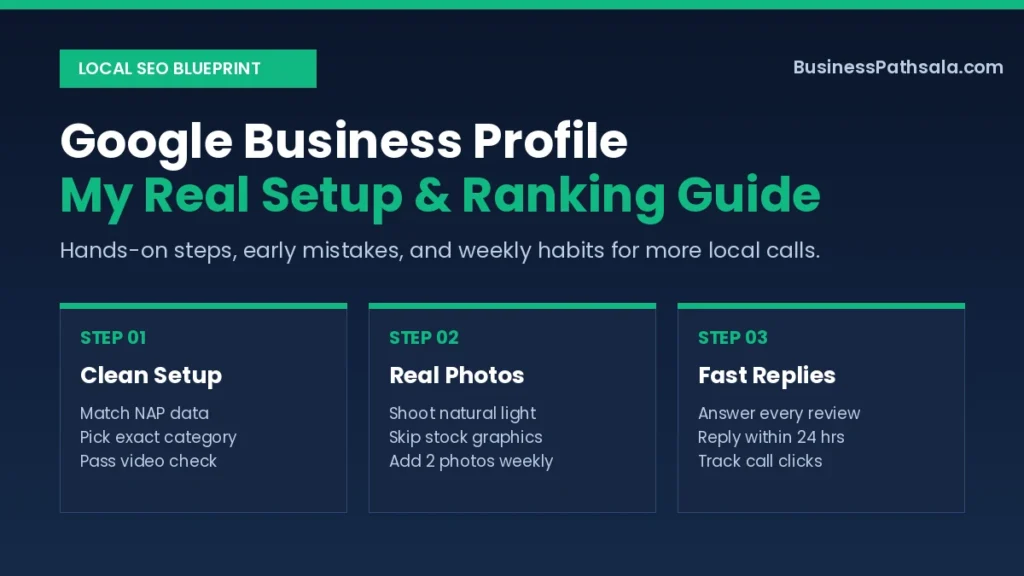
I spent three months wondering why my shop never showed up on Google Maps. My storefront had a bright sign, yet my phone sat quiet all week. Setting up a proper Google Business Profile finally broke that silence and brought real walk-in buyers.
Most people rush through the setup in ten minutes and leave it alone. I made that exact mistake on my first try. Here is the hands-on system I use now to get steady calls every week.
What Most Guides Leave Out About Google Business Profile
Verification is not the finish line; it is only the starting gate. Most online guides tell you to fill out your name, pick a category, and wait for calls. In real life, a bare listing sits buried on page three of Maps.
When I launched my first listing, I stuffed extra keywords into my shop name. Google flagged my account within forty-eight hours. I lost two full weeks waiting for support to lift the suspension.
My Hard Lesson: Never add city names or extra taglines to your business name. Match your real storefront sign word for word, or Google will pause your listing.
Another detail guides skip is photo quality in natural light. Blurry night shots make buyers scroll straight to your rivals. Clean daytime shots doubled my direction clicks in thirty days.
| My Early Mistake | What Happened | What I Do Now |
|---|---|---|
| Stuffed keywords in name | Listing got suspended fast | Match exact storefront sign |
| Used stock banner photos | Zero trust from locals | Shoot bright phone photos |
| Ignored wrong map pin | Buyers drove two blocks away | Zoom in and drag pin |
| Skipped business hours | Calls came at midnight | Set exact daily hours |
Tools & Supplies I Actually Use
You only need a smartphone, good daylight, and a free Google account. Paid local SEO suites look fancy, yet they rarely beat clean basics for a small shop. I wasted money on two monthly trackers before cancelling both.
Here is what sits on my desk every time I build or audit a listing:
- A clean phone lens: Wipe it with a soft cloth before shooting your shopfront.
- Your trade license or utility bill: Keep one paper copy ready in case support asks for proof.
- A simple Google Sheet: Track your exact business name, address, and phone format.
- The official portal: Manage everything through the Google Business Profile official portal.
| Option I Tried | Best Use Case | My Honest Verdict |
|---|---|---|
| Built-in Maps app | Quick photo uploads | Free and fast enough |
| Paid rank trackers | Multi-branch agencies | Skip for single shops |
| Canva flyer graphics | Promo post banners | Use sparingly, prefer photos |
| Simple spreadsheet | Tracking review replies | Best free habit |
My Step-by-Step Google Business Profile Workflow
Follow three clean phases—prep, setup, and polish—to pass verification on your first try. Rushing straight into the form causes typos that trigger manual reviews. This exact order works cleanly every time I help a local owner.
Phase 1: Prep Your Proof Before Opening the Form
Gather your exact address, phone number, and storefront photos before you click start. Write your business name, street address, and phone number in one note. Use that exact spelling across your website, Facebook page, and Maps.
Take five clear photos in morning daylight before you log in:
- One wide shot showing your street and front sign.
- One close shot of your entrance door and open hours.
- Two clean shots of your workspace or shelves.
- One friendly photo of you or your team at work.
If you are still starting a small business, lock in your official shop name first. Changing it later often forces a fresh verification check.
Phase 2: Complete Your Google Business Profile Verification
Pick the single most accurate primary category and shoot a steady video check. Google now uses short live video checks for most new listings. Walk from the street sign to your front door in one smooth take.
Unlock your door or show your desk and trade license on camera. Keep the clip under ninety seconds with steady hands. Read the Google Business Profile guidelines if you run a home-based service.
Timing Tip: Shoot your verification video between 9 AM and 11 AM. Bright daylight makes street signs crisp so Google’s automated check approves it faster.
Phase 3: Polish Every Field Buyers Actually Read
Fill out services, products, and holiday hours right after approval. An incomplete listing looks closed to cautious buyers. Add five to ten specific services with short, plain descriptions.
Write a 700-character business description that sounds human. Mention who you help, what you sell, and your local area. Avoid repeating your main keyword ten times in one paragraph.
| Step | Time Needed | Key Shortcut |
|---|---|---|
| Prep NAP and photos | 15 minutes | Shoot in morning light |
| Create and verify | 10 minutes | Film one smooth clip |
| Add services & hours | 15 minutes | Copy from price sheet |
| Double-check map pin | 2 minutes | Use satellite map view |
Shortcuts That Cut My Time in Half
Batch your photos and save three reply templates to save hours every month. Managing a listing feels heavy only when you start from scratch every week. A few tiny habits turn it into a five-minute chore.
- Snap while you work: Take two phone photos whenever a fresh order looks great.
- Save a short review link: Copy your direct review URL into your phone notes.
- Print a counter QR code: Place it near your cash desk so happy buyers scan fast.
- Reuse social captions: Trim your weekly Facebook post into a short Google update.
Real Shortcut: Send your review link via WhatsApp within two hours of a happy sale. My review rate jumped from one per month to six per week.
Pair these quick updates with a broader SME marketing strategy so your Maps traffic converts into repeat buyers.
Where Things Usually Go Wrong
Sudden edits, fake reviews, and duplicate listings cause 90% of local ranking drops. I once edited my address, phone, and category in one afternoon. The listing vanished from search until I submitted fresh paperwork.
Watch for these common warning signs and fix them fast before calls dry up:
| Warning Sign | Real Cause | My 2-Minute Fix |
|---|---|---|
| Instant suspension | Too many fast edits | Wait 48 hours between changes |
| Calls drop suddenly | Competitor suggested edit | Check dashboard alerts weekly |
| Reviews not showing | Same Wi-Fi IP used | Ask buyers to use mobile data |
| Wrong directions | Drifted map pin | Reposition pin on satellite view |
Warning: Never buy five-star reviews from strangers online. Google spots sudden bursts from faraway accounts and wipes both fake and real reviews together.
My Weekly Maintenance Habit
Spend fifteen minutes every Friday morning to keep your listing ahead of quiet rivals. Google rewards active businesses that answer people quickly. You do not need daily posts; steady weekly signals win easily.
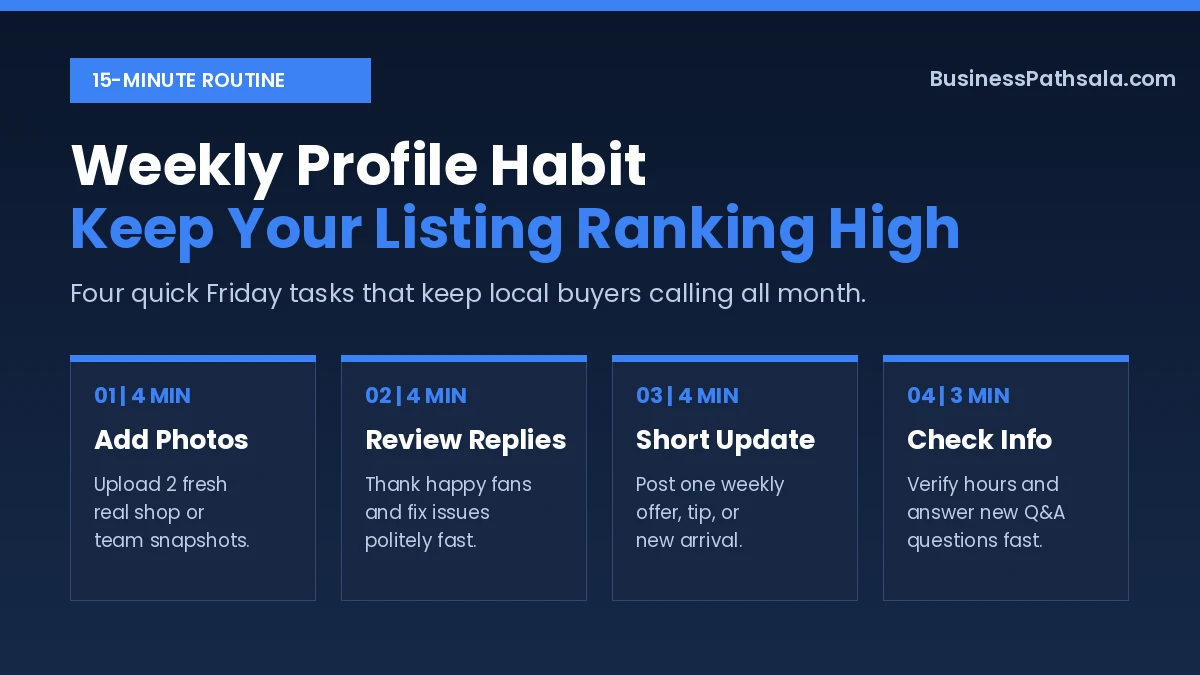
Here is my exact Friday checklist that takes less than a cup of tea:
| Weekly Task | Exact Amount | How Often |
|---|---|---|
| Upload real photos | 2 crisp photos | Every Friday |
| Reply to reviews | 100% of new reviews | Within 24 hours |
| Publish Google update | 1 short offer/tip | Once per week |
| Check Q&A & hours | Quick 2-minute scan | Every Friday |
Even on slow weeks, replying politely to a three-star review builds huge trust. Future buyers read your replies more closely than your ads.
FAQs for Google Business Profile
Is a Google Business Profile really free to use?
Yes, a Google Business Profile is 100% free to create and manage. You only pay if you choose to run paid Google Ads later.
How long does Google Business Profile verification take?
Most video checks clear within 3 to 5 business days. If your storefront sign is blurry, Google may ask for a second clip.
Can I make a profile without a physical shop?
Yes, choose the service-area business option during setup. Hide your home street address and list the towns or districts you serve.
How many photos should I upload each month?
Aim for 4 to 8 real photos per month. Consistent fresh uploads signal an active shop and beat dumping 50 photos once a year.
Why did my profile get suspended after an edit?
Rapid changes to your business name, address, or phone number trigger auto-flags. Make one small edit at a time and wait two days.
Your First 5 Minutes on Google Maps
My biggest lesson after testing dozens of listings is simple: consistency beats clever tricks. A clean name, real daylight photos, and warm review replies will outrank silent competitors every single month. Expect steady call growth over thirty to sixty days, not overnight miracles.
Take five minutes right now to search your own business name on Google Maps. Check if your map pin sits on your exact front door, and upload two bright phone photos today.


Pingback: WhatsApp Business: My Daily Setup for Faster Replies